> ## Documentation Index
> Fetch the complete documentation index at: https://help.texterchat.com/llms.txt
> Use this file to discover all available pages before exploring further.
# Enable notifications
> How to enable browser notifications for new Texter messages
To receive alerts for new messages, allow notifications for the Texter site in your browser.
## Browser settings
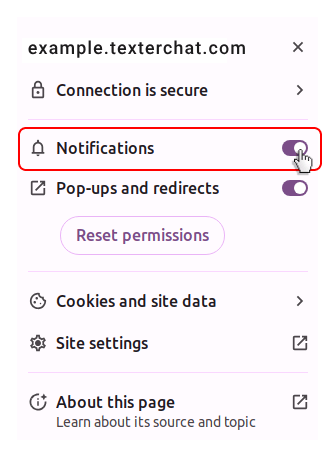
1. Click the settings icon in the browser address bar.
2. Turn on the switch next to **Notifications**.
3. Refresh the page.
 If notifications still do not appear, make sure your operating system also allows notifications from the browser you use.